LessTools
LESSCMSVisual page editor with a headless API LESSCOMMERCEStore, PIM and orders in one place LESSSEOGoogle visibility, measured daily — coming soon
One account and one invoice for all of them. Discover LessTools →

Product

What LessCMS can do

No jargon. For every feature we say what you actually do and what you get out of it.

Page editor

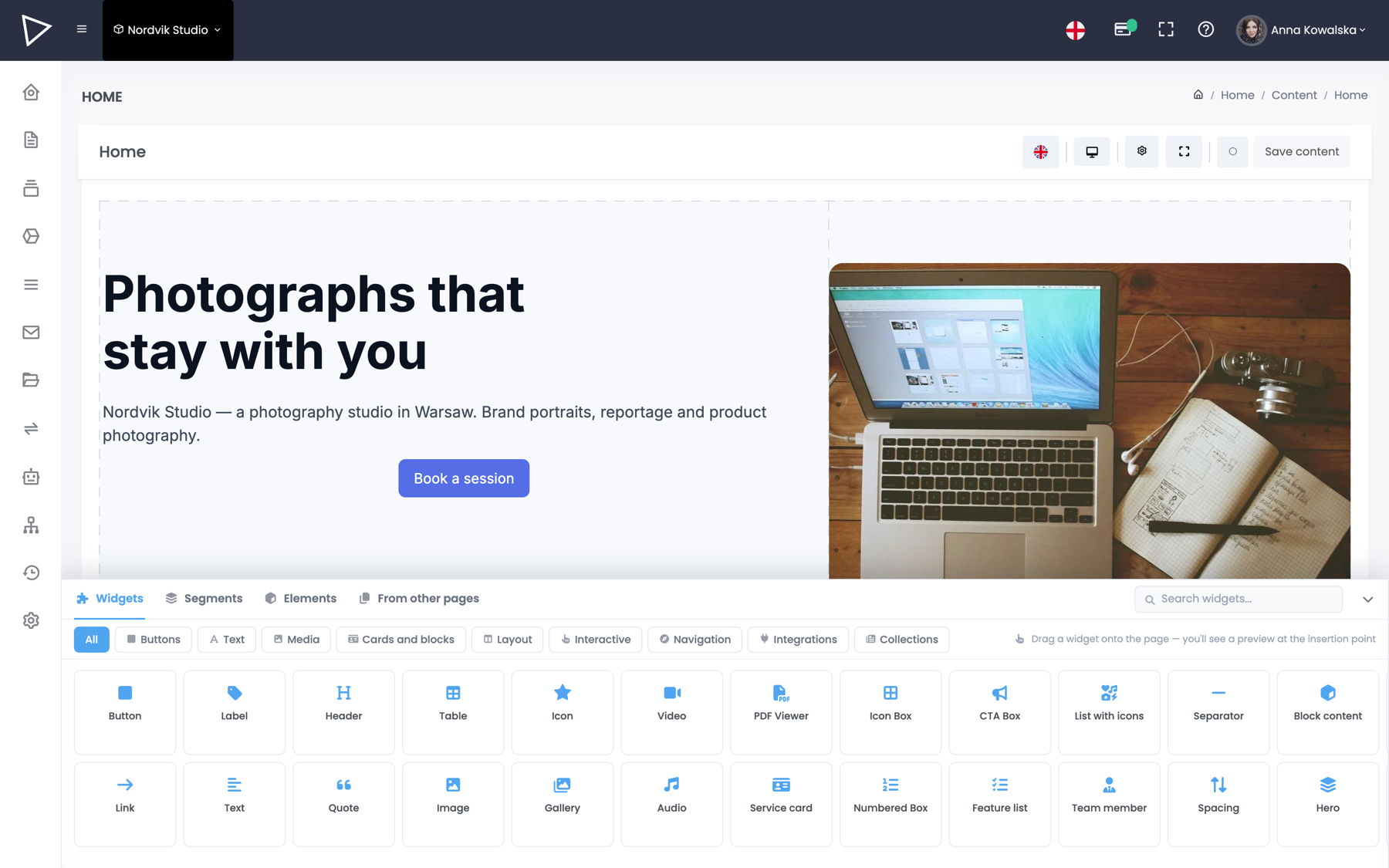
You build the page exactly as you see it

You assemble the page from ready-made blocks: heading, text, images, form, map. Drag them onto the page and set spacing, colours and widths — without touching code.

What you see on screen while arranging is what the visitor sees. The editor clicks on the text and types. There is no preview mode and no surprises after publishing.

  • A separate layout for desktop, tablet and phone
  • Version history — you can see who changed what and roll it back
  • 78 ready-made blocks, nothing to install
The page editor in the LessCMS panel
Repeatable content

Blog, services, portfolio — without retyping the same thing

Say you show off your projects. Each one has a name, photos, a client and a date. You set that up once — and adding the next project is then a matter of filling in a ready-made form, like a questionnaire.

The project listing and a separate page for each one build themselves. Addresses and sitemap entries included, so Google sees every one of them individually.

  • You decide what fields an entry has — we impose no template
  • The editor gets a form, not a blank page
  • Subpages and addresses are created automatically
ONE PROJECT CONSISTS OF:
text Name
images Gallery
select Client
date Completed on
→ add 42 entries, get 42 finished subpages
Multiple languages

A second language is a switch, not a second website

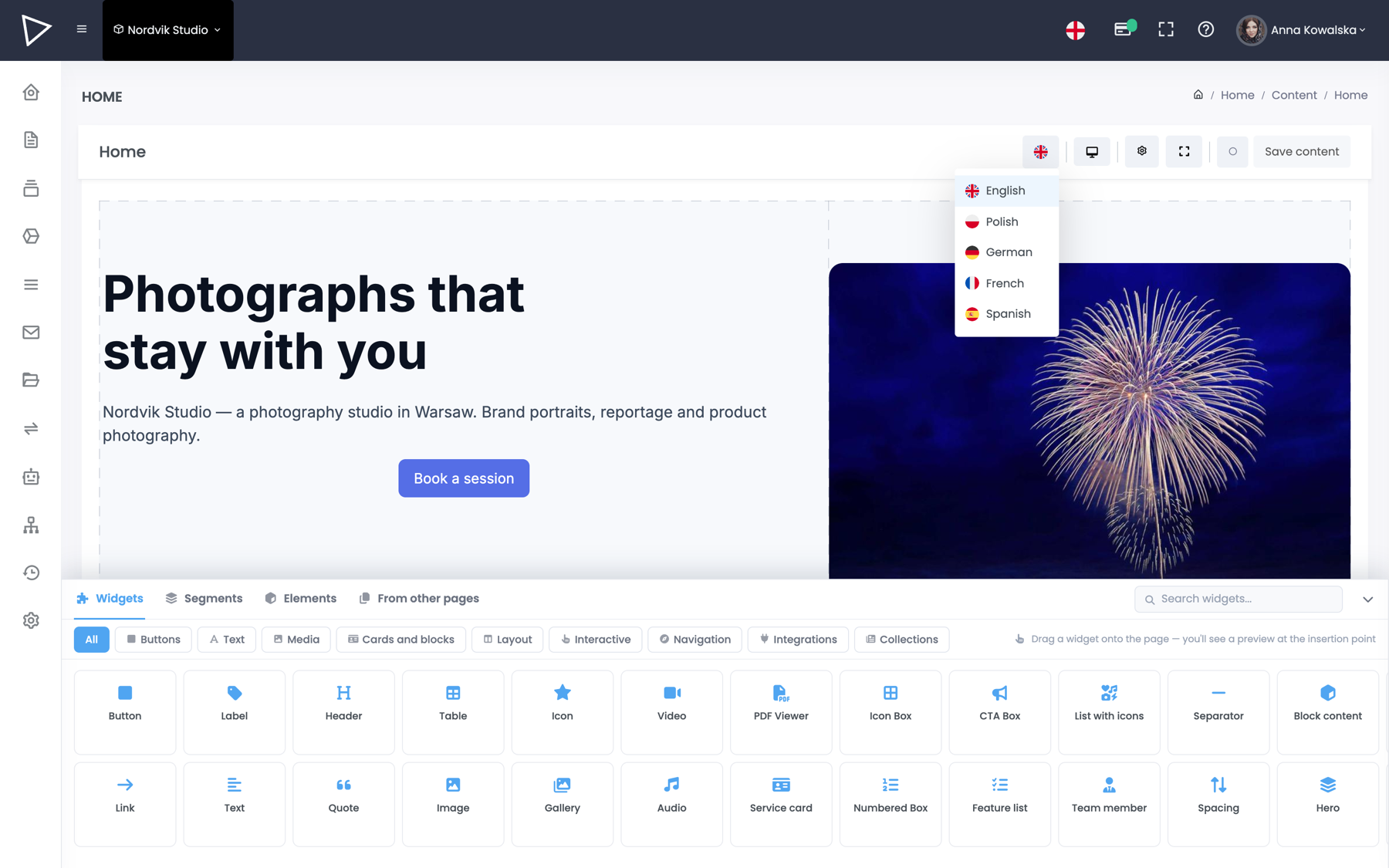
You add a language in the project settings and switch to it in the editor. The layout stays the same, only the content changes — you are not building a separate site for every market.

  • Every field has its own value in every language
  • A separate address and sitemap entry per language
  • Translation supported by the assistant — you approve it
Choosing the content language in the LessCMS editor
SEO and performance

A sitemap and redirects without plugins

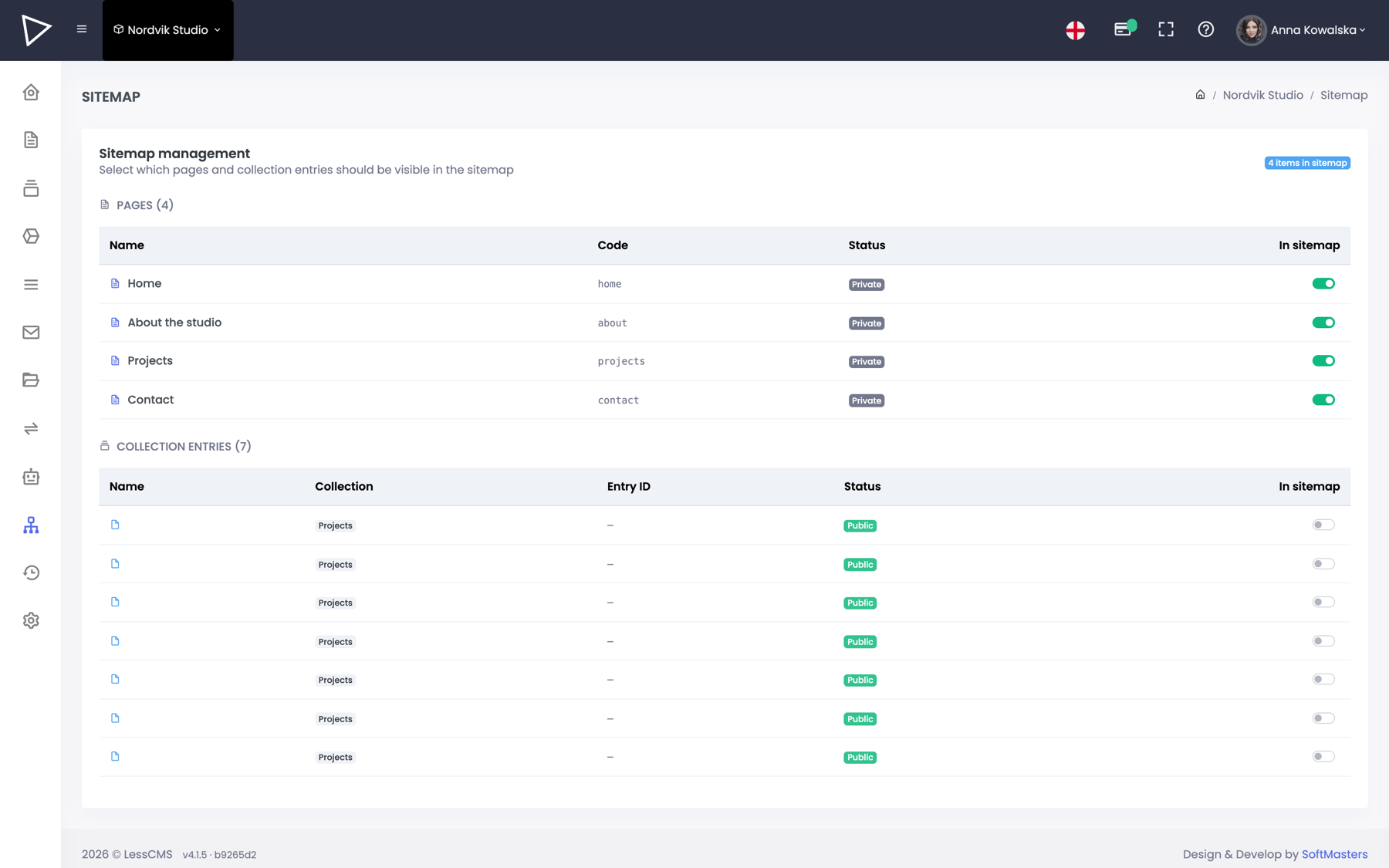
Title and description are set next to the content. The sitemap is generated from whatever is published — a new subpage appears in it by itself, a deleted one disappears.

You add 301 redirects from the panel, so changing an address or moving from another system does not cost you your search rankings.

  • Server-rendered pages — the crawler gets full HTML
  • Robots.txt and structured data from the panel
The sitemap in the LessCMS panel
AI boosted

The assistant writes, translates and fills in meta

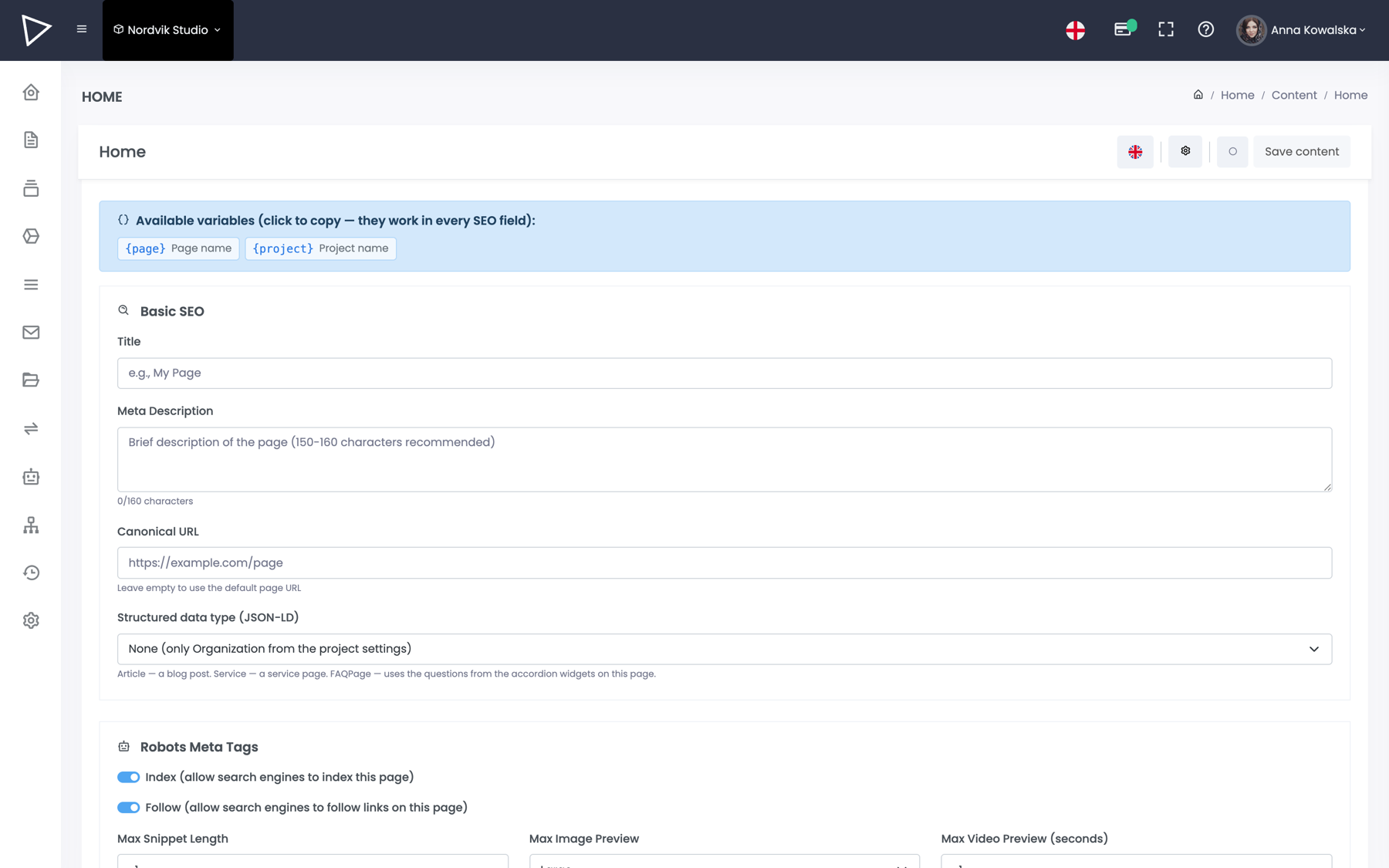
Three places where AI saves the most time: the blank page, the second language and the search-engine descriptions. Nothing starts on its own and nothing publishes automatically.

  • You see the token usage before you confirm
  • The suggestion lands in the editor, not in production
Generating SEO metadata with AI
And more

And everything else, on every plan

Things that other systems make you install separately or configure on a server.

Forms

Contact, quote, sign-up. Submissions land in the panel and in your inbox, with consent boxes and spam protection.

Images and files

A manager with folders and search. You upload the original, we produce lighter versions for phone and desktop — no compression plugins.

Roles and permissions

An editor sees the content, not the settings. A client only gets access to their own project.

Custom styles and fonts

Brand colours, typography and corner radii as project variables. Change them in one place and the whole site follows. There is also a field for your own CSS.

Domains and SSL

Connect your own domain and the certificate is issued automatically. For testing you get a subdomain, before you even repoint the DNS.

Analytics and scripts

Google Analytics, Tag Manager and your own scripts in the head section — from the panel, without digging into the page code.

Cookie consent

A consent banner split by category, ready for GDPR. You configure it in the settings instead of bolting on a third-party plugin.

Menus and blocks

Menus are built from a tree of items, and repeatable fragments — a footer, a banner, a contact section — live as blocks you place on many pages at once.

Cache and publishing

After publishing we purge the cache selectively, only for what actually changed. You can also clear it by hand with a single button.

Backups and history

On-demand project backups and an event log: who changed what and when. Every entry and page has its own version history.

Address routing

You set the address pattern for pages and entries yourself — for example /realizacje/{slug} instead of identifiers.

Public API

The same content available to your application or your own front end. Key, read access, cache headers. Documentation →

Try it on your own site

Create a project and assemble the first page. No card and no sales call.